Skip to product information
1 of 8

HSe-221 Heat Shrink Tube Labels Compatible with Brother P-touch | 8.8mm Black on White Cable Label Tubes (3-Pack)

HSe-221 Heat Shrink Tube Labels Compatible with Brother P-touch | 8.8mm Black on White Cable Label Tubes (3-Pack)

Regular price $19.99
Regular price Sale price $19.99
Sale Sold out
Color
Size
Number of Items
  • Package Includes: 3 rolls of Colorty HSe-221 compatible heat shrink tube labels. Each roll measures 8.8mm (0.34") wide and 1.5m (4.92 ft) long, with a clear black on white print color for easy cable identification.
  • Compatible with Brother P-touch Label Makers: Designed as a replacement for Brother HSe-221 / HSe221 heat shrink tube labels. Compatible with a wide range of Brother P-touch industrial label printers, including PT-E105, PT-E110, PT-E300, PT-E500, PT-E550W, PT-E800W, PT-P750W, PT-P900W, PT-P950NW, PT-D800W and more.
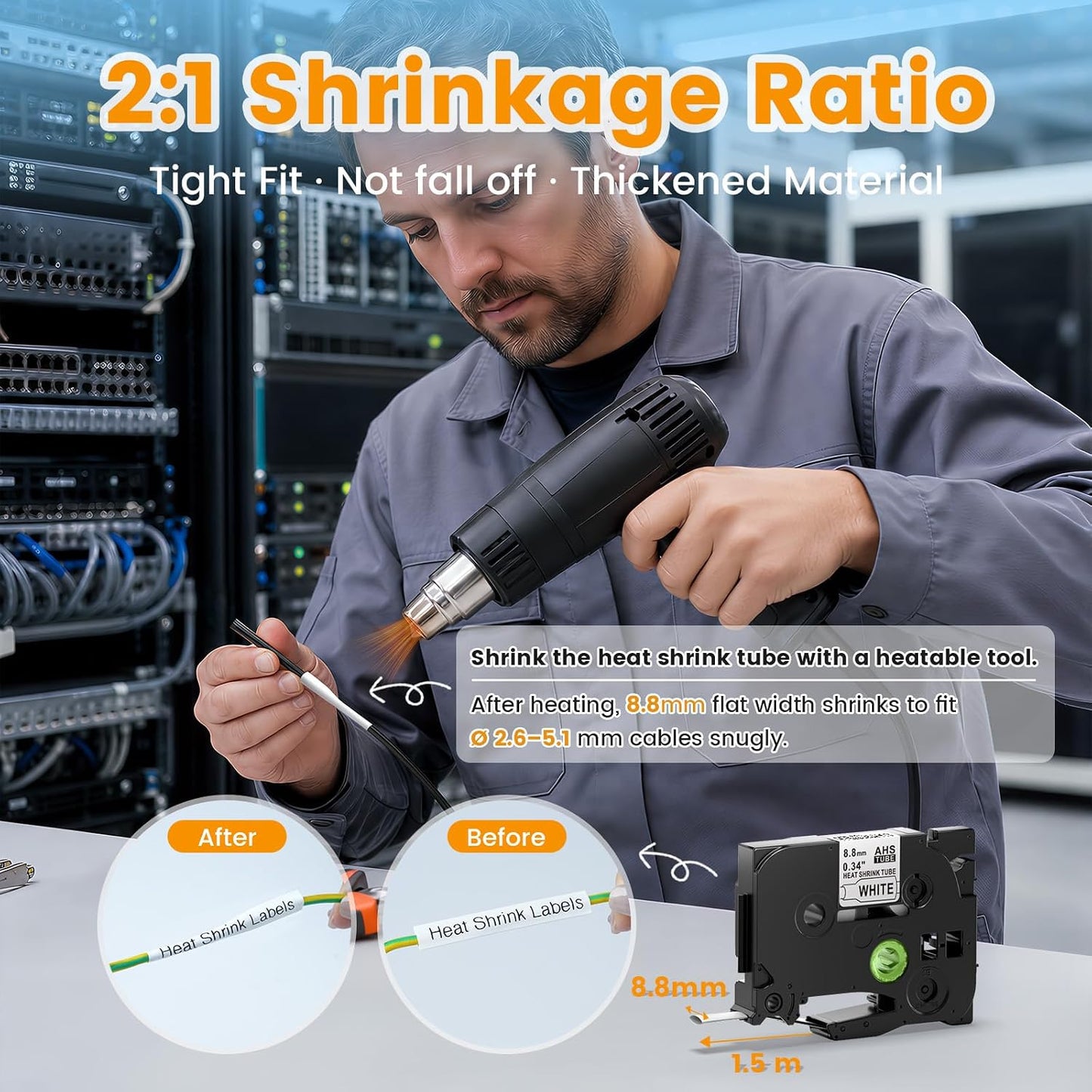
  • Professional Heat Shrink Cable Labels: Made from high-quality polyolefin heat shrink tubing, these labels tightly wrap around wires and cables after heating. The 2:1 shrink ratio provides a secure fit, helping prevent labels from moving, peeling, or falling off over time.
  • Durable Printing for Various Environments: The printed text is designed to resist water, oil, scratches, and temperature changes, making HSe-221 heat shrink labels ideal for electrical installations, network wiring, workshops, equipment rooms, and industrial applications.
  • Fits Common Wire and Cable Sizes: With an 8.8mm heat shrink tube width, HSe-221 labels are suitable for cables approximately 1.6mm to 5.4mm in diameter after shrinking. Perfect for organizing and identifying network cables, control wires, audio/video cables, and power lines.
View full details

❓ Frequently Asked Questions

How to avoid carbon ribbon breakage?

To prevent carbon ribbon breakage during printing:

Step 1: Pass the tape end beneath the tape guide.
Step 2: Rotate the gear following the arrow mark on the cassette.
Step 3: Extend the end of the tube to the outlet of the label maker before printing.

How do I apply compatible Brother heat shrink labels?

Follow these simple steps to apply heat shrink labels:

Step 1: Pass the label tape through the tape guide before use.
Step 2: Use your label maker to print the desired text.
Step 3: Place the printed label over the wire or cable you want to identify.
Step 4: Use a heat tool to shrink the label and make it securely adhere to the cable.

What are Brother compatible heat shrink labels used for?

Heat shrink labels are ideal for wire and cable identification, electrical installations, network management, laboratories, industrial equipment and other applications that require durable cable marking.

Are heat shrink labels durable?

Yes. The heat shrink material provides a secure fit around cables and wires while offering resistance to abrasion, moisture and everyday wear for long-lasting identification.